
PicGo
The Ultimate Image Uploader for Efficient Creators





Overview
PicGo aims to make image uploading a seamless part of your creative workflow.
Whether you’re writing a blog post, taking notes, or authoring developer docs, PicGo helps you upload images in one step and automatically copies the resulting link—so you can stay focused on creating, not uploading.
If you’re new to PicGo, start with the Getting Started.
If you run into issues, check the FAQ and closed issues.
Supported image hosts
PicGo supports mainstream image hosts out of the box, and can be extended indefinitely through its plugin system:
- China cloud vendors: Qiniu, Tencent Cloud COS, UPYUN, Alibaba Cloud OSS
- International / open platforms: GitHub, SM.MS, Imgur
- More options via plugins: AWS S3, Cloudflare R2, MinIO, and more
Note: PicGo itself will no longer add new third-party image hosts by default. You can build image host plugins yourself—see PicGo-Core.
Key features
Smooth writing flow
- Auto-copy links: once an upload finishes, the link is copied to your clipboard automatically.
- Flexible formats: Markdown, HTML, URL, custom templates—paste directly into any editor.
- Zero-context switching: don’t switch windows. Paste images in your editor, and let PicGo upload in the background.
Fast uploads
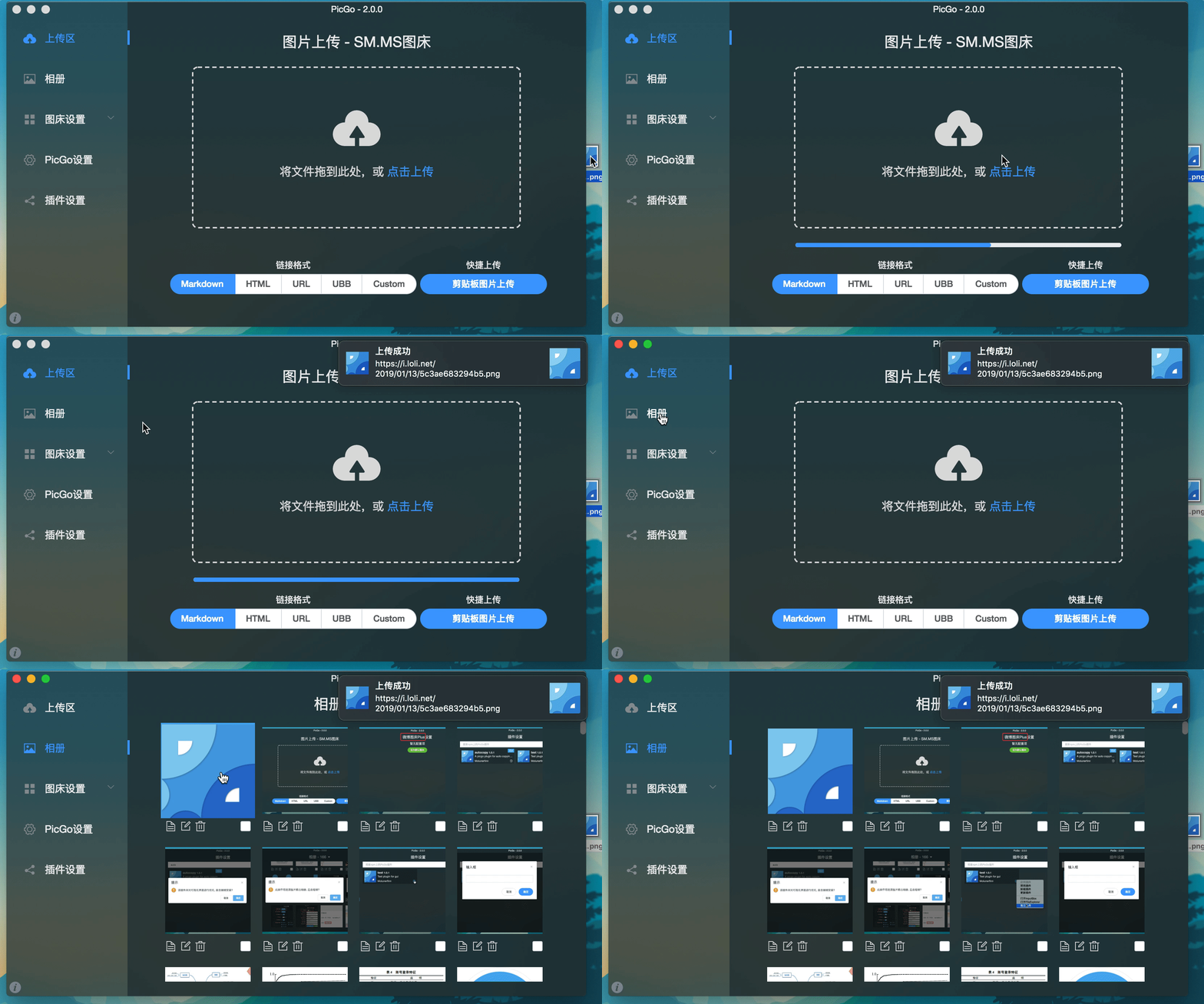
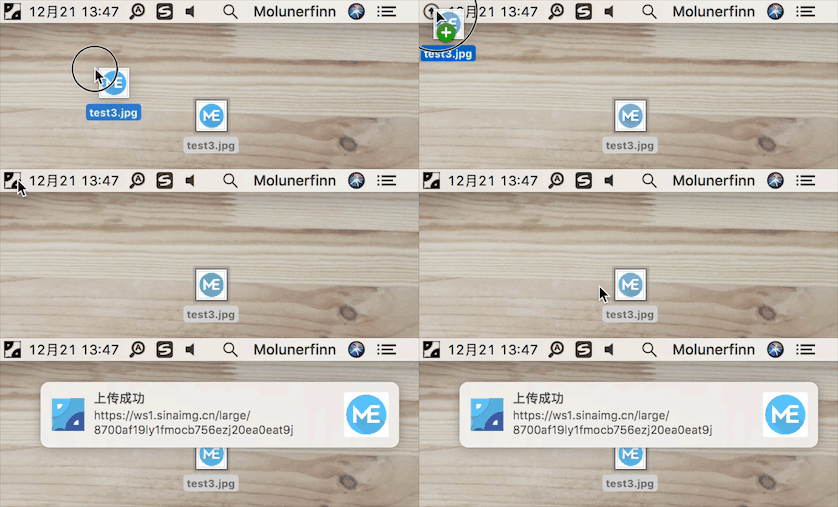
- Multiple ways to upload: drag & drop, paste from clipboard, hotkeys, and even right-click context menu upload on macOS/Windows.
- Global hotkey: press
Command+Shift+P(macOS) /Ctrl+Shift+P(Windows/Linux) to open the upload window without leaving your current app. The global key can be customized.
Powerful plugin ecosystem
- Highly extensible: plugins already exist for AWS S3, Cloudflare R2, MinIO, and many other image hosts.
- Even more possibilities: image compression, watermarking, renaming, Markdown image migration, and more.
- Explore plugins: Awesome-PicGo
Developer-friendly
- HTTP API: HTTP API and CLI support, making it easy to integrate with other tools.
- Open source: fully open-source and transparent.
- Great documentation: for plugin development, see the PicGo-Core docs.
There’s more to discover—development progress is tracked in Projects.
Download & install
| Source | Link / Installation | Platform | Notes |
|---|---|---|---|
| GitHub Releases | https://github.com/Molunerfinn/PicGo/releases | All | Downloads may be slow in mainland China |
| Shandong University mirror | https://mirrors.sdu.edu.cn/github-release/Molunerfinn_PicGo | All | Thanks to the mirror for hosting |
| Scoop | scoop bucket add extras & scoop install picgo | Windows | Thanks to @huangnauh and @Gladtbam |
| Chocolatey | choco install picgo | Windows | Thanks to @iYato |
| Homebrew | brew install picgo --cask | macOS | Thanks to @womeimingzi11 |
| AUR | yay -S picgo-appimage | Arch Linux | Thanks to @houbaron |
Screenshots
Development
Currently tested on macOS and Windows only. Linux has not been fully tested.
If you want to learn, contribute, modify, or build PicGo yourself:
For an Electron-vue learning series, see: Electron-vue development
- Install Node.js and Git, and make sure you’re familiar with npm basics.
- Clone the repo:
git clone https://github.com/Molunerfinn/PicGo.gitand enter the directory. - Install dependencies with
pnpm. If you don’t have it yet, install it from the pnpm website first. - On macOS you’ll need Xcode; on Windows you’ll need Visual Studio.
- For contributing, see CONTRIBUTING.md.
Development mode
Run pnpm run dev to start the dev workflow with hot reload.
Production build
To build release artifacts locally, run pnpm run build. After a successful build, the installer files will be generated under dist.
Note: If your network is unstable, electron-builder may fail to download Electron binaries. You can set an alternative mirror before building:
export ELECTRON_MIRROR="https://npmmirror.com/mirrors/electron/"
# On Windows: set ELECTRON_MIRROR=https://npmmirror.com/mirrors/electron/ (no quotes)
pnpm run build
Electron binaries are stored under ~/.electron/.
Related projects
- vs-picgo: PicGo for VS Code.
- flutter-picgo: mobile app (Android & iOS).
- PicHoro: another mobile app compatible with PicGo config (Android only for now).
Sponsorship
If you like PicGo and it helps your workflow, feel free to buy me a coffee.
Alipay:

WeChat Pay:

GitHub Sponsors:

License
Copyright (c) 2017 - Now Molunerfinn